
AW Apps
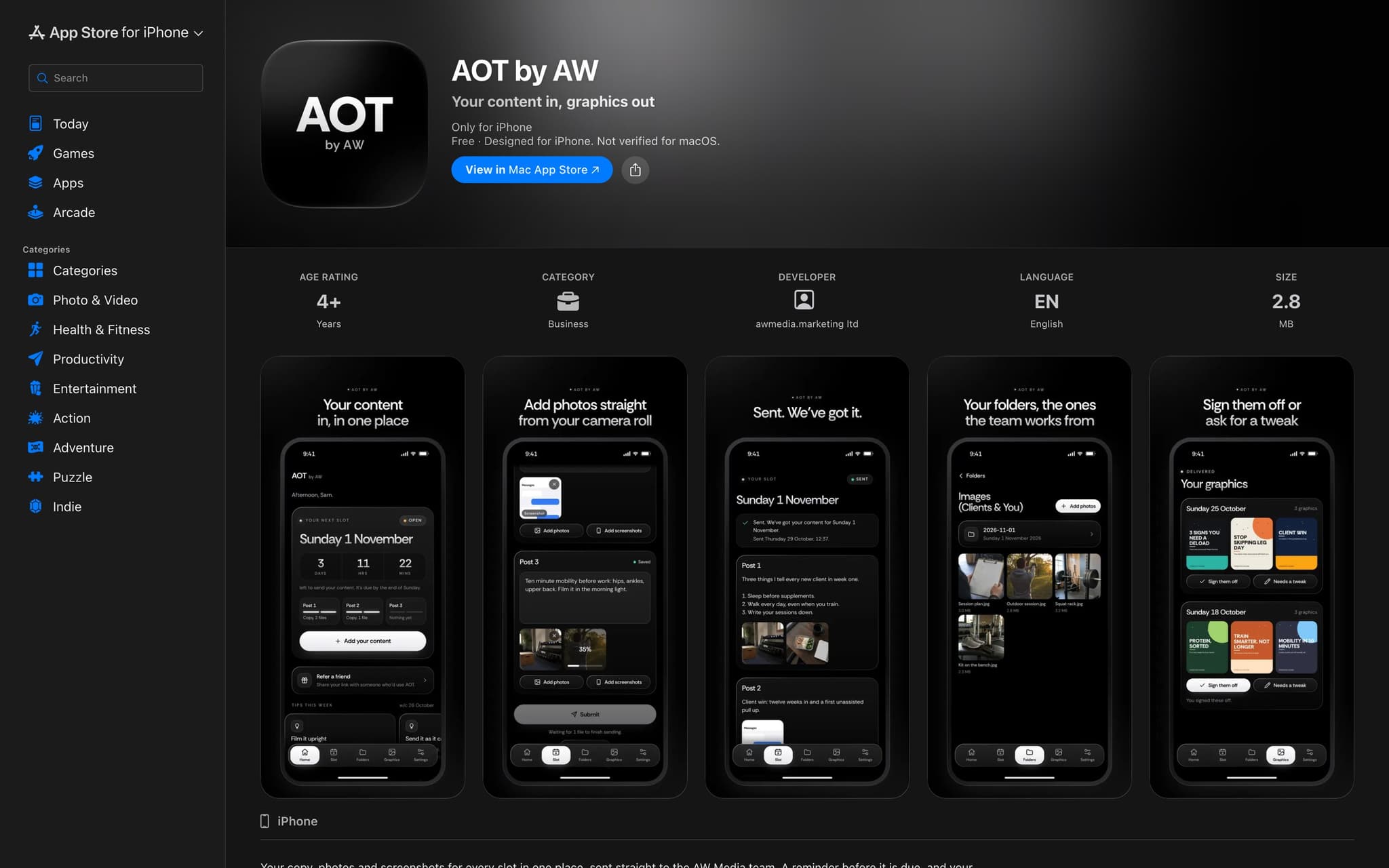
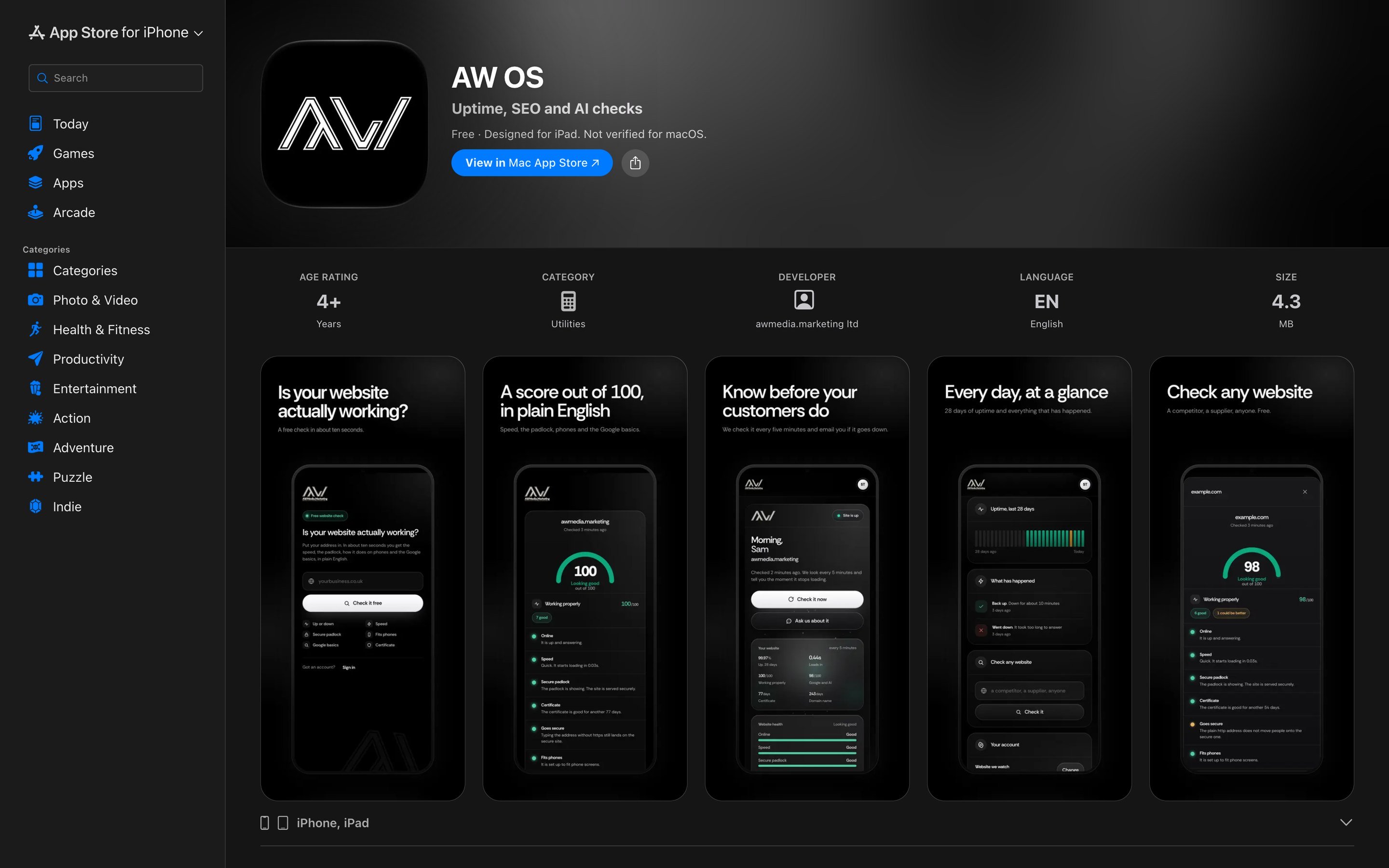
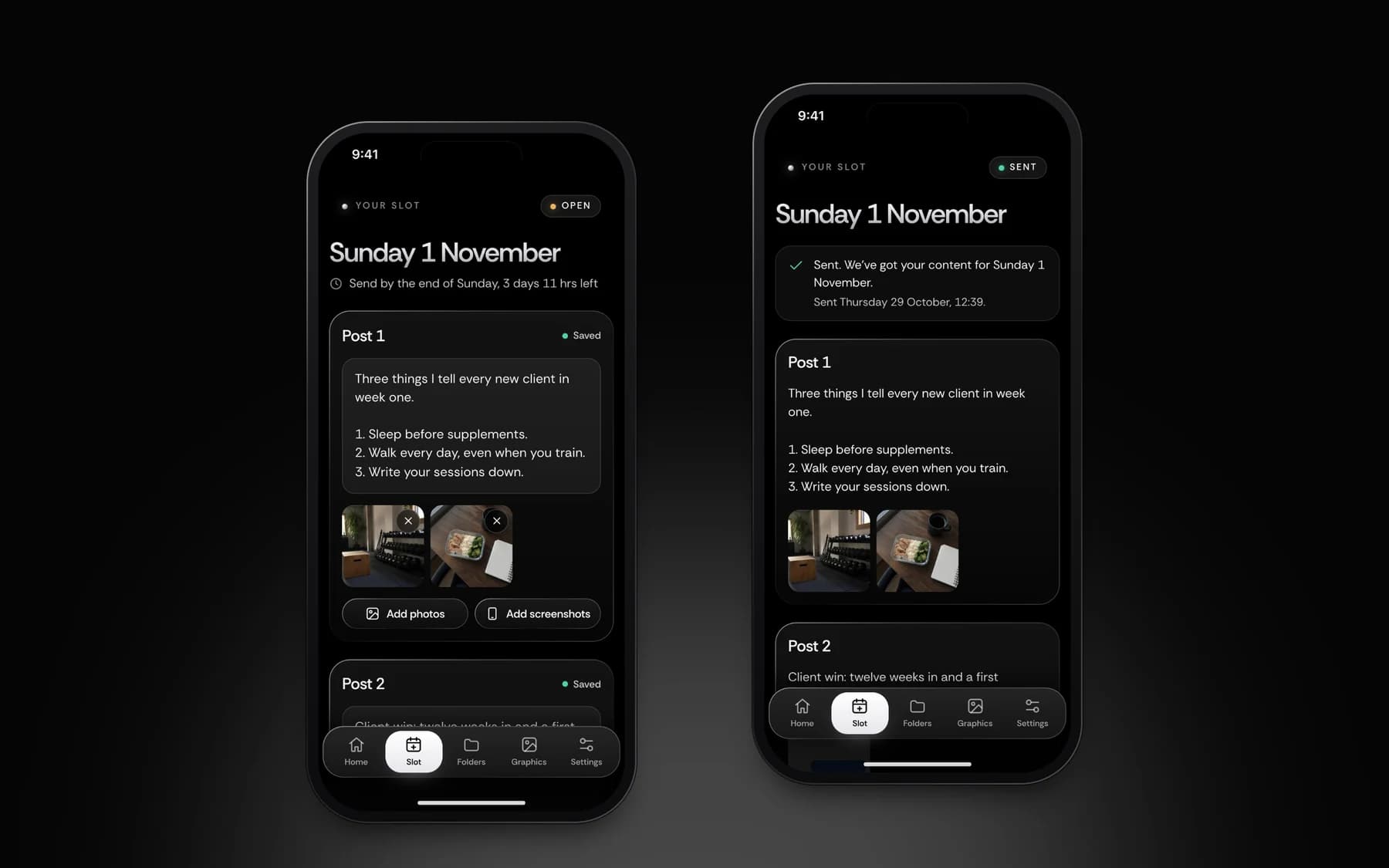
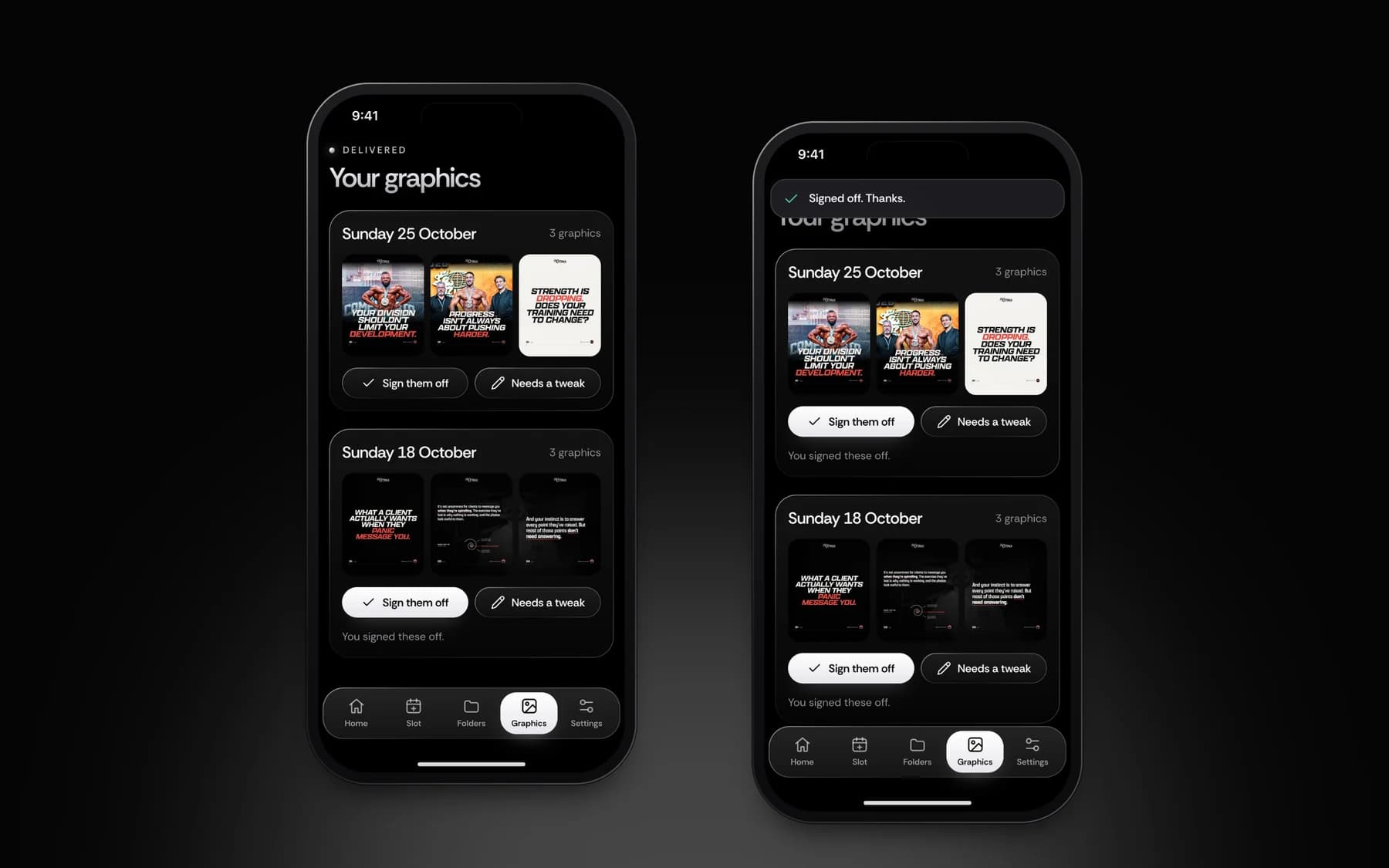
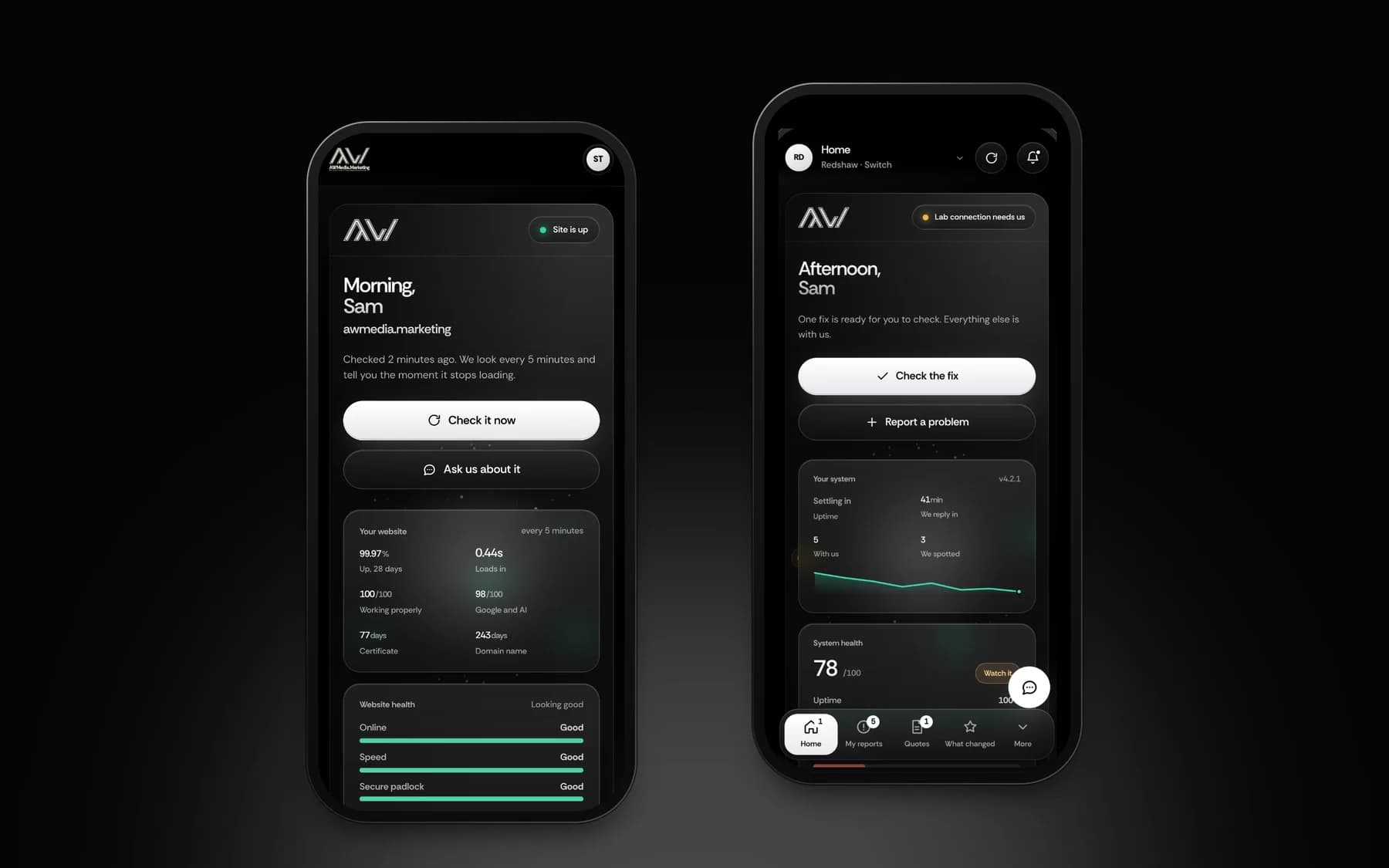
Two apps of our own, both live on the App Store. AW OS is our support desk, and anyone can use it to check a website free. AOT by AW is where our social media clients send us their content, and where the finished graphics come back. Two different jobs, for two different people, and both of them done from a phone.
Client
- Name
- AW Media
- Industry
- Our Own iPhone Apps
- Location
- Sheffield
- Website
- Visit live site →
The challenge.
Before AOT by AW, every client's content went into a shared Drive folder: copy in a Google Doc, photos dropped in next to it, and a link every client had to keep hold of.
Content sent in a chat or an email gets lost. Every slot needed one place for the copy, the photos and the screenshots, sorted so our team could work straight from it.
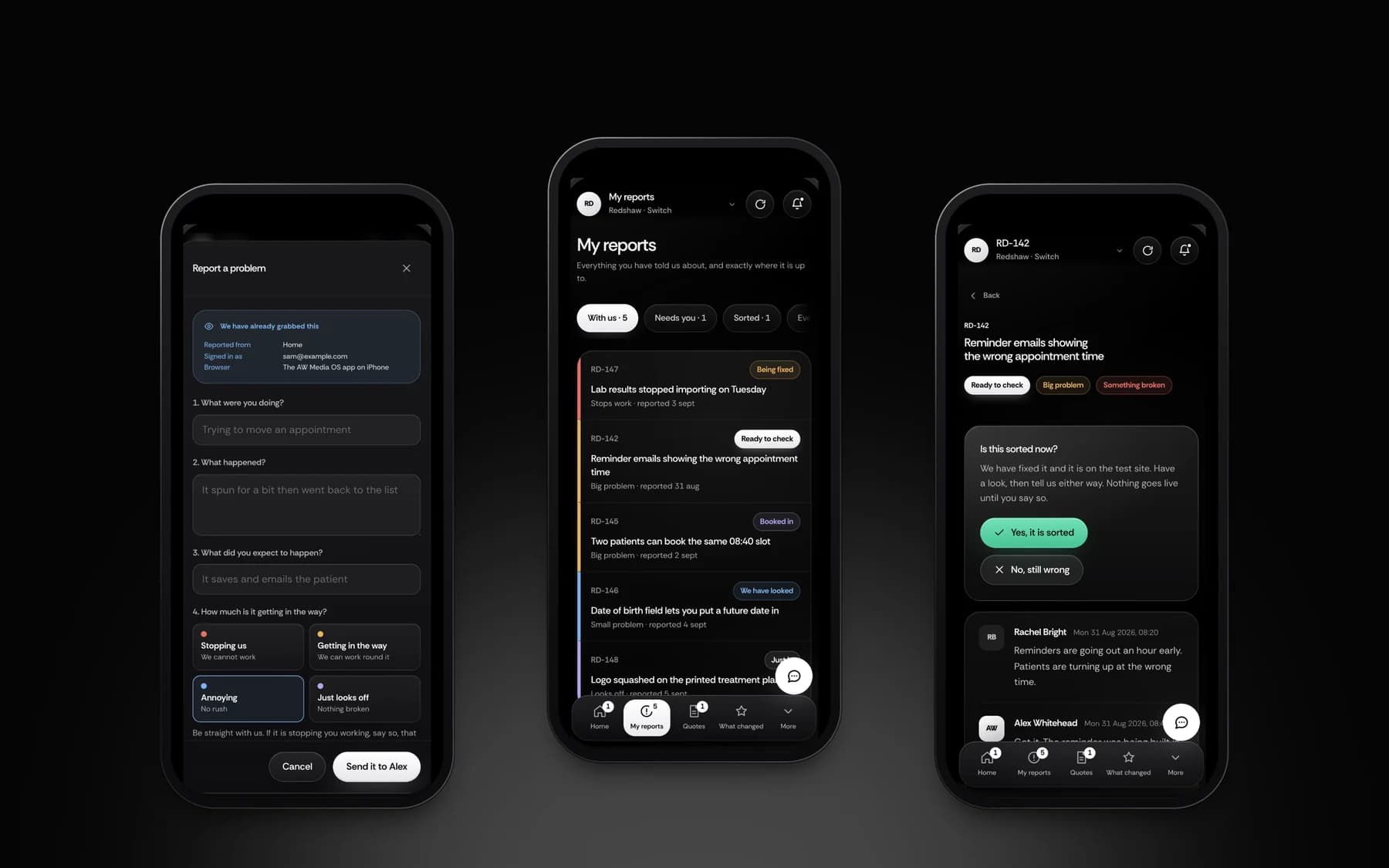
A problem with a website needs more than "it's broken". We need to know what they were doing, what happened and how much it's getting in the way, so we can see how urgent it is.
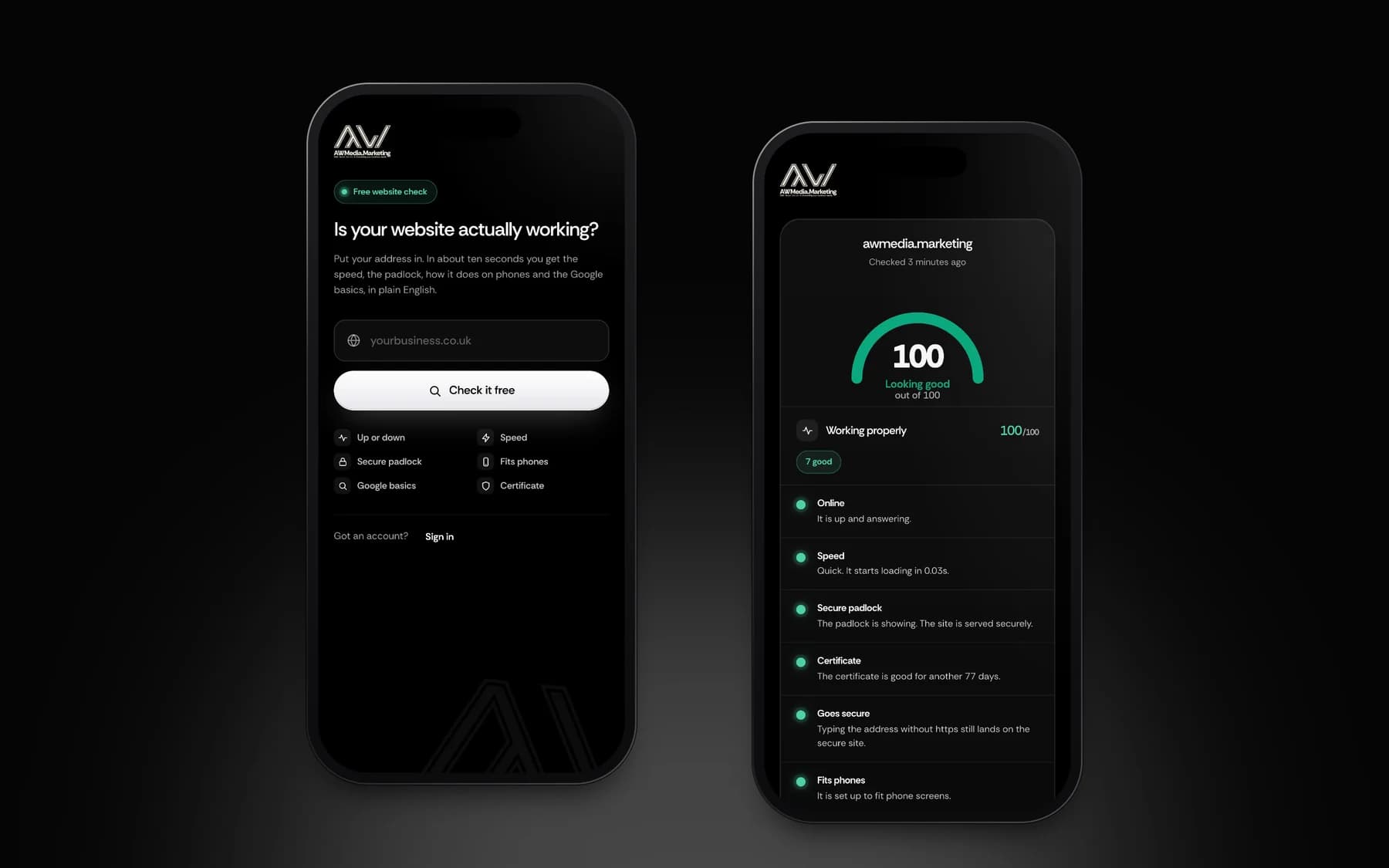
And plenty of people just want to know whether their website is actually working, without a card, adverts or anything to buy.
Our approach.
AOT by AW: three posts a slot, written and sent from the client's phone. Photos come straight from the camera roll, as many as they like, sized on the phone so they go up quickly.
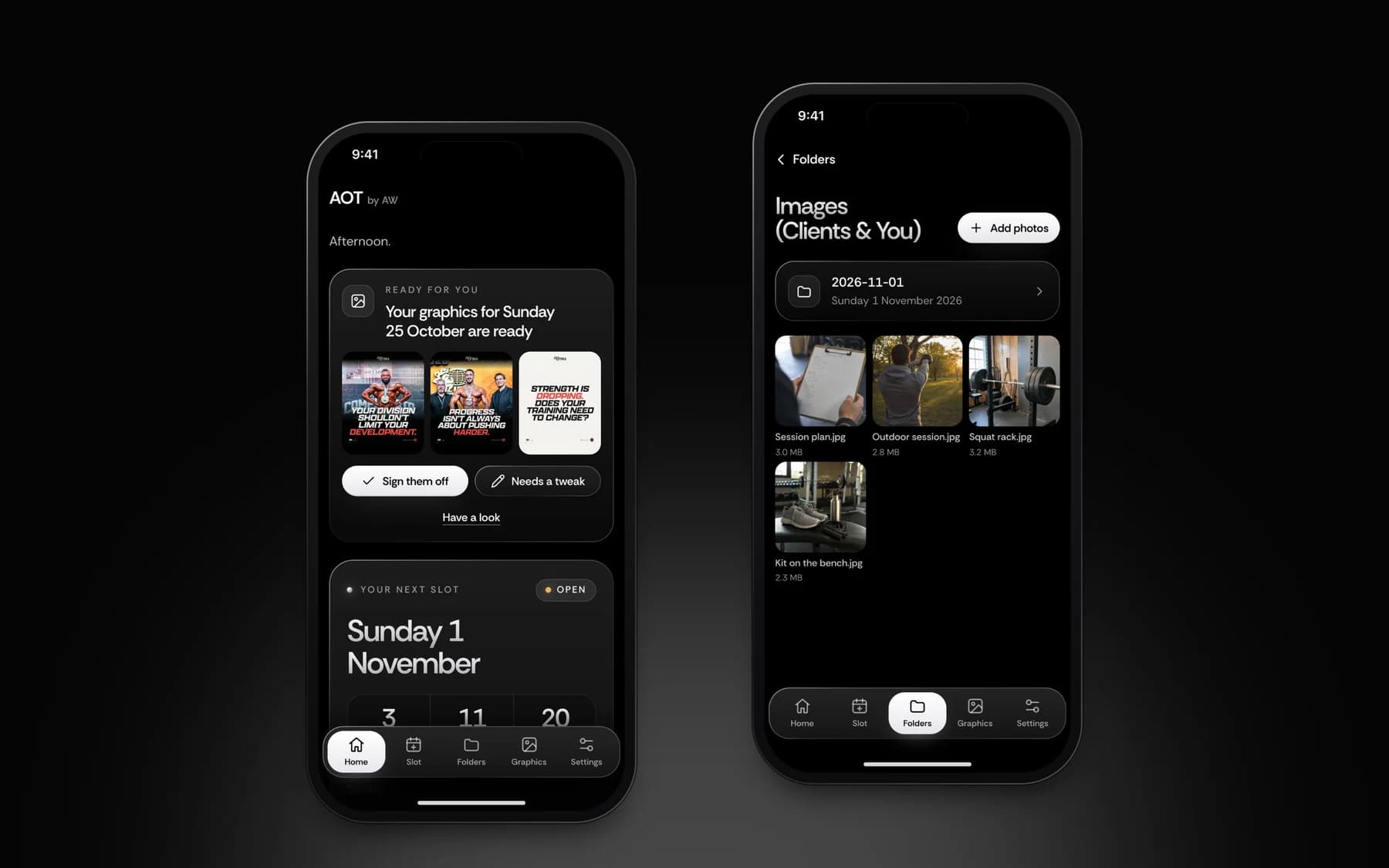
Press Submit and it lands straight in their folder with our team, sorted by slot. Their logo, their photo bank and every slot we've delivered sit in the same folders our team works from.
Three reminders, so a slot never slips by: three days before, the day before, and on the day if it still hasn't been sent. Can't make it this time? Skip the slot in one tap.
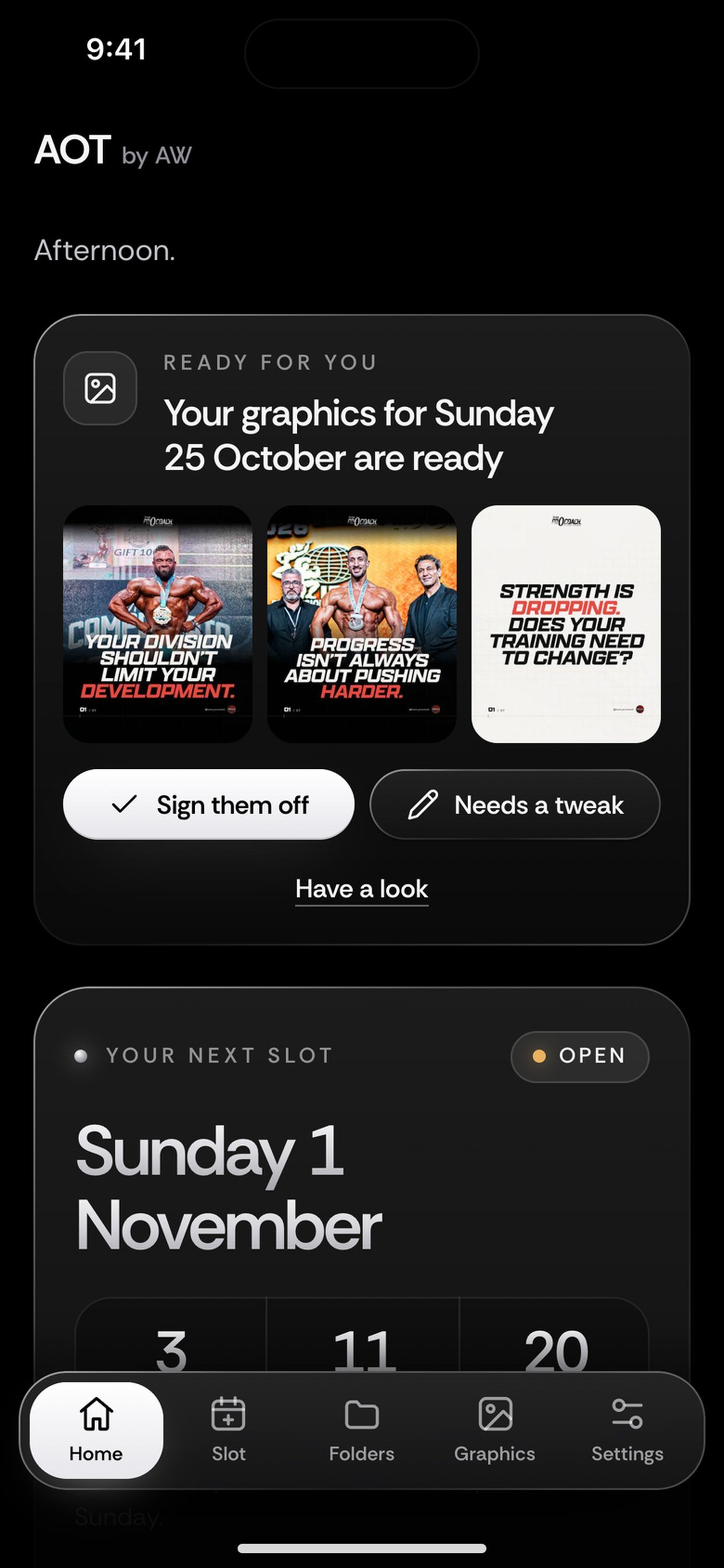
The graphics come back to the same app. They're told when they're ready, save them to their phone, then sign them off or ask for a tweak.
AW OS: our clients sign in with their usual details and report a problem in four questions, then watch it go from We have looked to Ready to check. Nothing goes live until they've tapped Yes, it is sorted.
Anyone else can put in a web address and get two scores out of 100, every check in plain English. Make a free account and we watch the site every five minutes, with a notification and an email the moment it stops loading.
The work.
Scroll inside the window to explore, or open the live site.
Scroll inside the phone to explore the mobile layout.
Two apps,screen by screen.
AOT by AW from the slot to the signed-off graphics, then AW OS from a problem report to the free check. Shown on demo accounts, with graphics our clients have posted on their own feeds.
What we built.
- Two iPhone apps, live on the App Store
- Three posts a slot, sent from the phone
- Straight into the client's folder, sorted by slot
- Three reminders before every slot
- Graphics back in the app to sign off or tweak
- Locked with Face ID or a fingerprint
- Problem reports in four questions, signed off by the client
- Free website check and a five-minute uptime watch
The numbers.
apps live on the App Store
reminders before every slot
minutes between uptime checks
More projects.
Renewafuel
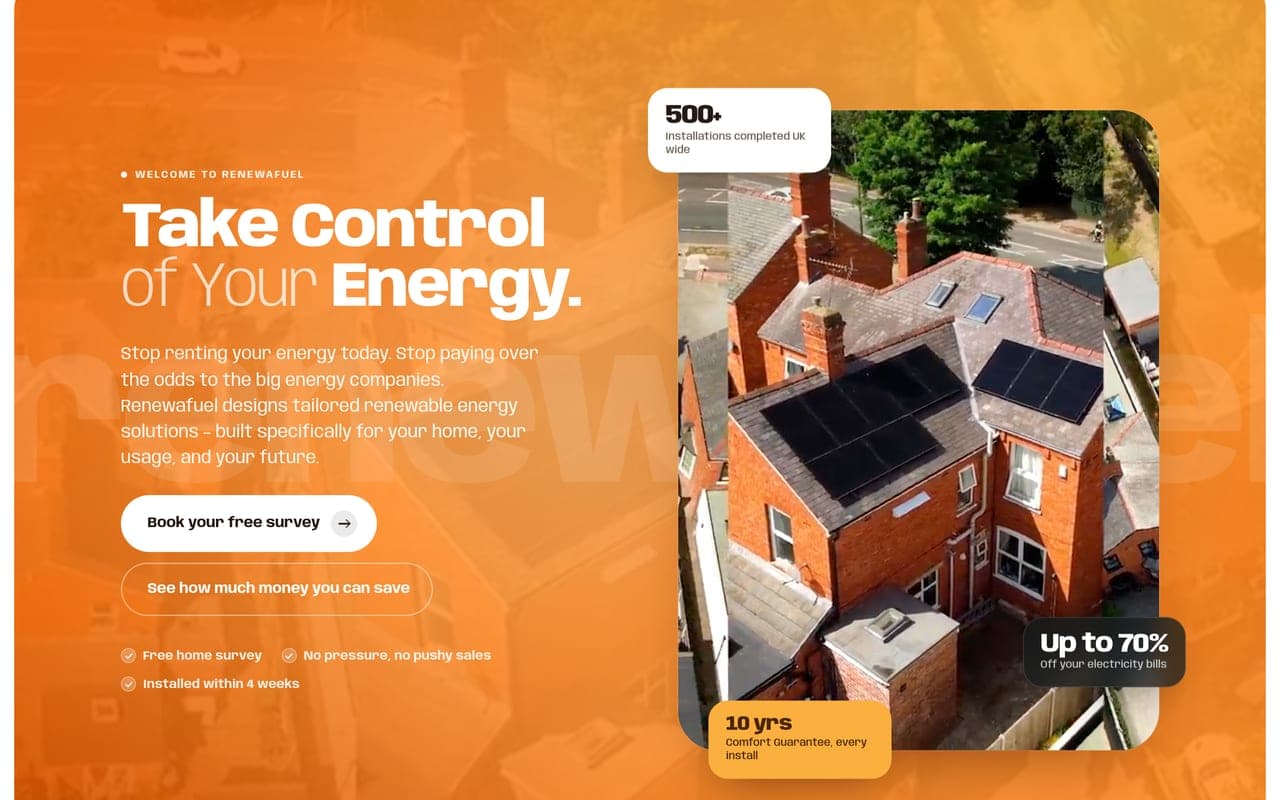
Renewafuel fit solar panels, air source heat pumps and battery storage from Worksop. Proper installers, with the accreditations and the finished roofs to prove it. We rebuilt their website so it shows that, answers the question every homeowner asks before they pick up the phone, and gives them one clear way to book a free survey.

Christmas Tree Collections
Christmas Tree Collections picks up Christmas trees from outside people's houses every January, across Sheffield and Rotherham. It's run by Joel Berry of Berry's Trees and Gardens and Mitchel Ingham of JM Trees and Groundcare, for Sheffield Children's Hospital Charity, and since 2018 it has raised £129,355. Bookings open once a year and the whole season goes through one website, so we rebuilt it around getting every booking right. Joel's list came in on 29 October and the new site went live on 4 November, with bookings open the same minute.

MADE
MADE is an independent açaí and matcha bar with two shops, on Ecclesall Road in Sheffield and Lower Briggate in Leeds, and a third coming in Broomhill. Their own matcha, a full menu, a run of brand collabs, and a holding page at madematcha.com. We built a site that makes you want a matcha before you've left the house: build your usual and see what it costs, find the nearer shop, or book them for your event. Their last notes came in on the evening of 3 November and it was live the next morning.
Like whatyou see?
Let's build something like this for your business.
See our 314 reviews on Trustpilot